 Claude for BeginnersFree course · about 1 hour
Give Claude Your Own Documents
Quick answer. Give Claude your documents: Upload your own files or paste your text so Claude can summarise, explain, and rewrite your actual material. Where the real time savings begin.

MODULE 4: Give Claude Your Own Documents
By the end of this module, you’ll be able to: Upload a file or paste in your own text and have Claude summarise, explain, or rewrite it.
Time: about 12 minutes · You’ll need: Modules 1 to 3, plus a document handy such as a PDF, Word file, or photo.
Why this matters
This is the moment Claude stops being a general helper and becomes your helper. Working with your real documents is where most of the day-to-day time savings come from.
Lesson 4.1: Attach a file
- Open a chat in Claude.
- Find the attach or paperclip icon near the message box.
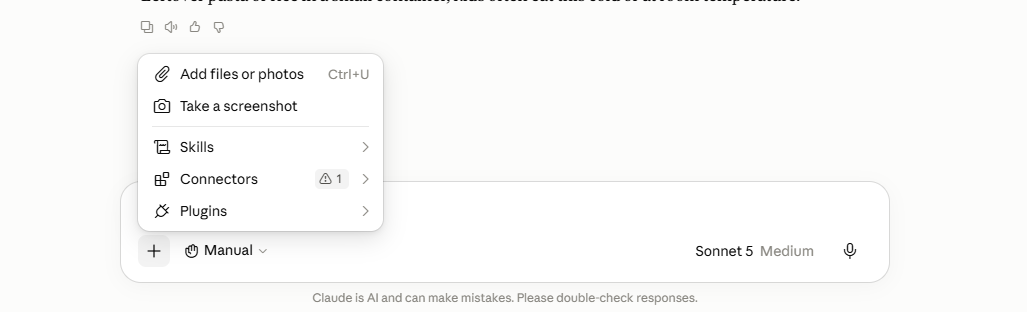
- Click it and choose a file from your device.
- Wait for the file to appear attached above the box.
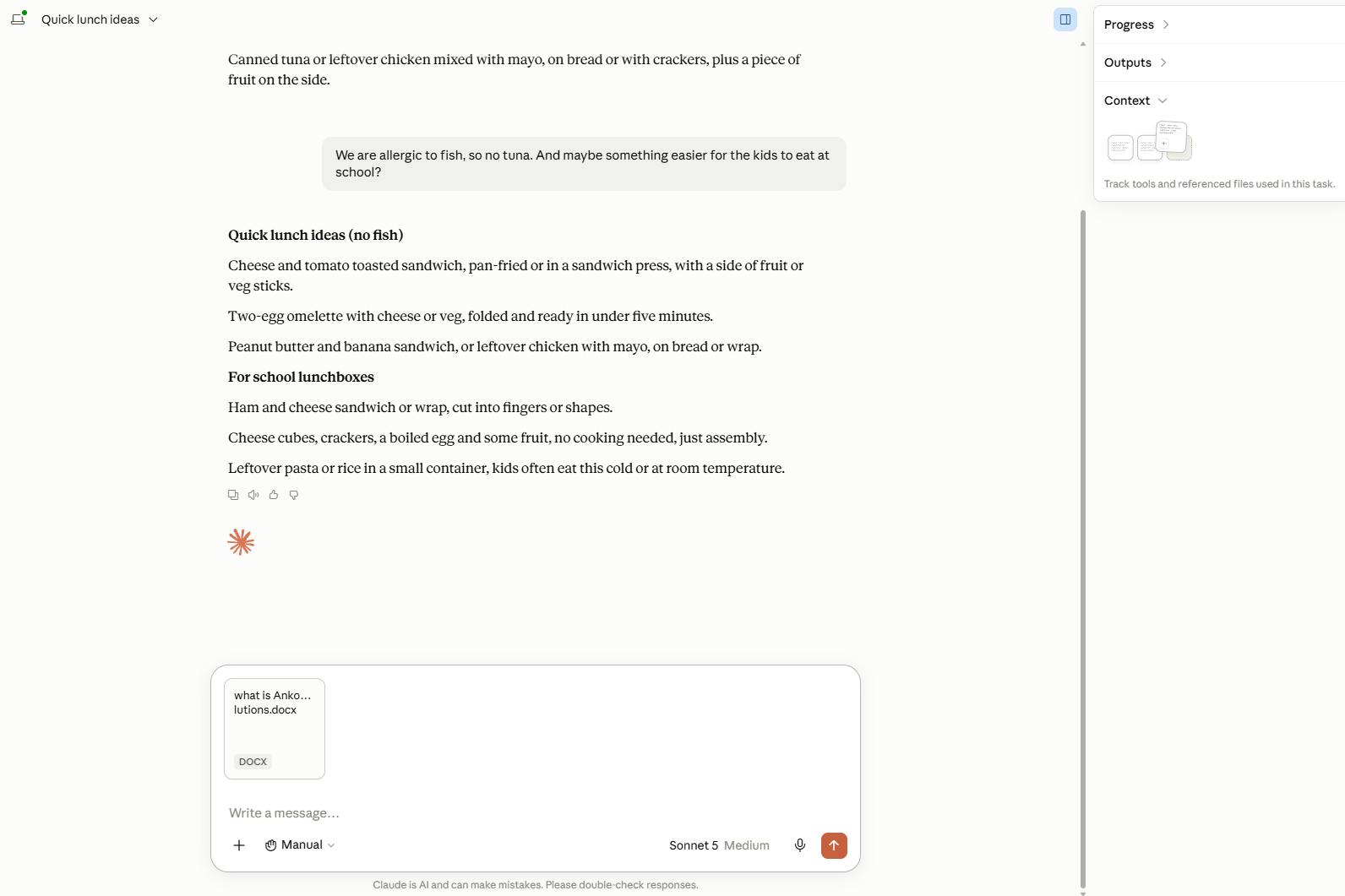
- Type what you want done, for example: Summarise this document in five bullet points.
- Send it.
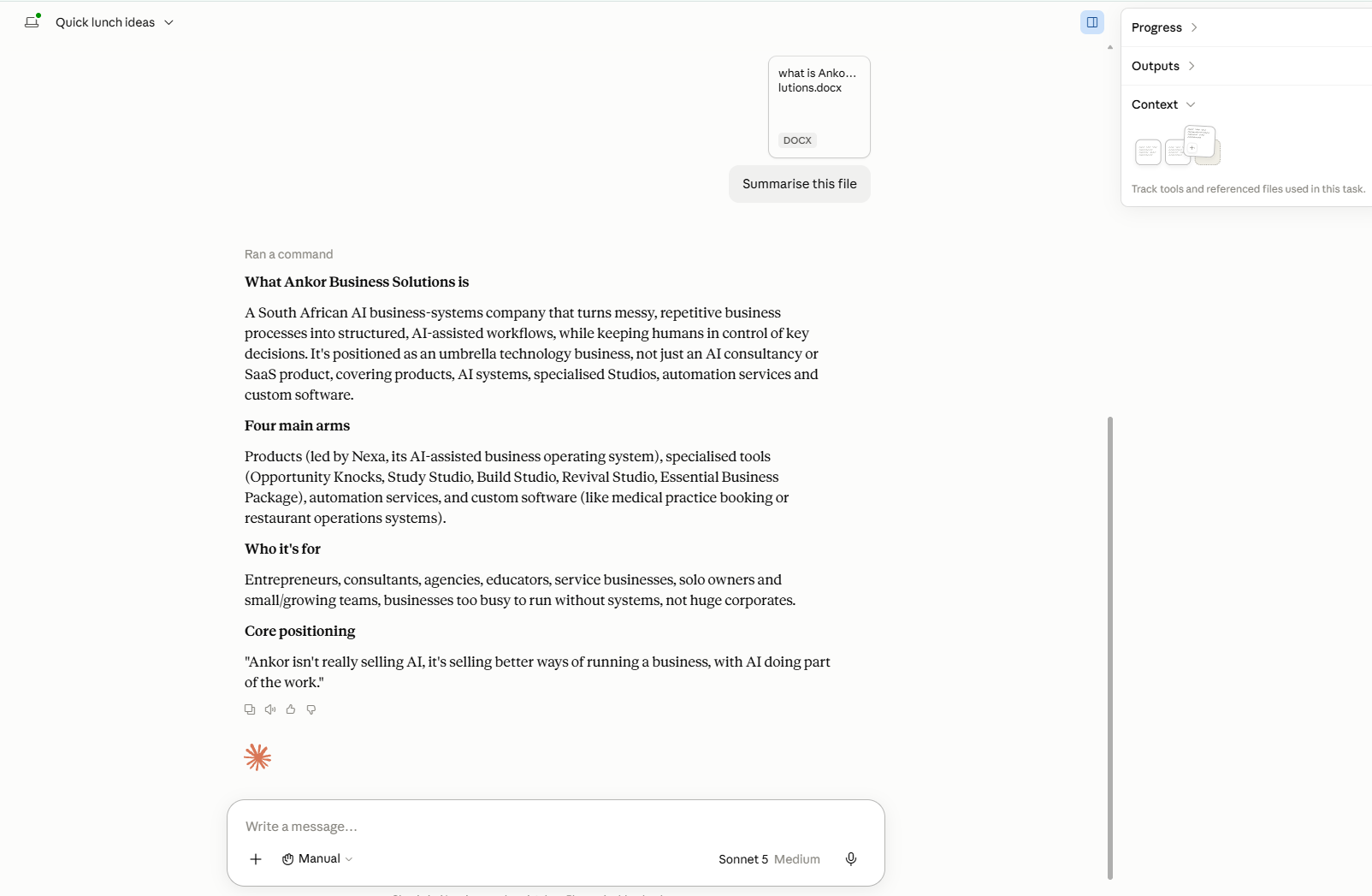
Check your progress: Claude’s answer should refer to specific things from your document, not general information. If it seems to be guessing, the file may not have uploaded. Attach it again.
Lesson 4.2: Or just paste the text
You do not always need to upload. You can copy text from anywhere and paste it straight into the message box, then ask about it the same way. This is handy for a single email, a paragraph, or a set of notes.
Example: a contract in plain language
Upload a three-page supplier agreement and ask: Explain the key terms of this in plain language and list anything I should be cautious about. In seconds you have a plain-English summary you can actually understand.
Common mistakes to avoid
Mistake 1: Uploading and forgetting to say what you want.
Always add an instruction. The file alone does not tell Claude what to do with it.
Mistake 2: Sharing sensitive details.
Avoid uploading things like ID numbers, banking details, or passwords. Module 5 covers safe habits.
Mistake 3: Assuming it read a blurry photo perfectly.
For photos of text, glance over the result to check it captured everything.
Quick practice (10 minutes)
Do this now:
- Upload one real document from your work, such as a proposal, invoice, or notes.
- Ask Claude to summarise it in plain language.
- Ask one follow-up question about the content.
Key takeaway
Give Claude your own files, and it goes from a general helper to your personal one.
Next up: You now have all the mechanics. Module 5 ties it into a safe, confident daily habit and shows you where Claude shines and where to be careful.
A gentle nudge: Uploading your own files is exactly how the document tools in the Ankor store work behind the scenes. If you handle the same kind of document often, there is likely a tool that automates it.
Frequently asked questions about give Claude your documents
What is give Claude your documents?
Quick answer. Give Claude your documents: Upload your own files or paste your text so Claude can summarise, explain, and rewrite your actual material. Where the real time savings begin.
What does this article say about why this matters?
Quick answer. Give Claude your documents: Upload your own files or paste your text so Claude can summarise, explain, and rewrite your actual material. Where the real time savings begin.
What should a small business do with give Claude your documents?
Read the practical steps in this article, then compare a structured business system such as Ankor Nexa rather than leaving the work in an unstructured chat.
Stay in the loop
Get practical AI tips and product updates, no spam, unsubscribe any time.

