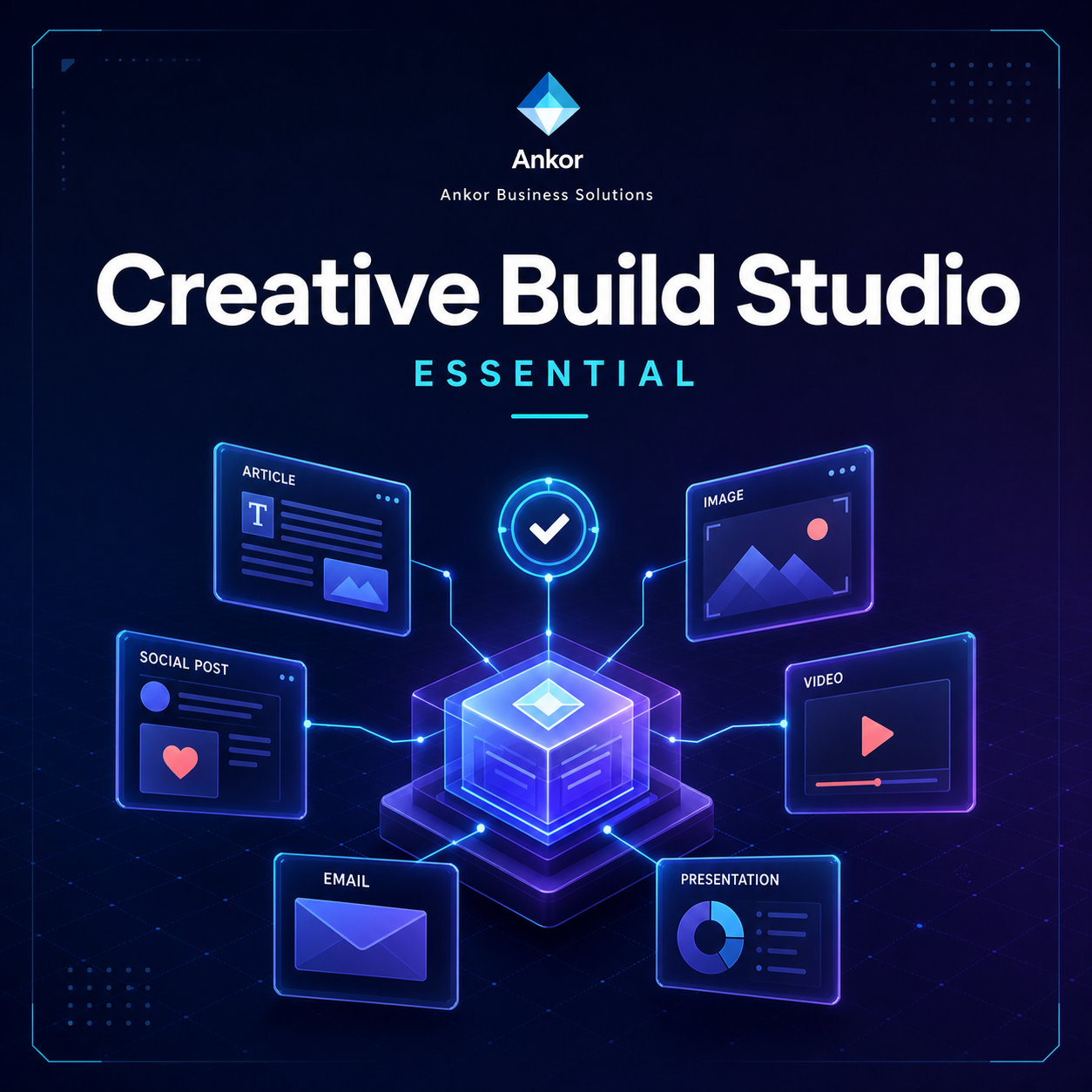
Make one campaign from one approved source.
A caption here, a headline there, a brief that no longer matches the offer. Creative Build Studio is a set of written instructions you add to the AI assistant you already pay for: Claude, ChatGPT or Gemini. Once it is added, the assistant builds every piece of a campaign from one source you have approved, such as an article, a recording transcript or a product page, so every piece still sounds like the same business. It drafts. You decide what goes out.
- R3 497$299 once-off
- Nothing to download
- Updates included
- Works in Claude, ChatGPT or Gemini
A launch next Friday and four half-finished pieces that don't agree with each other.
The pieces drift apart.
Each caption and headline was written on a different day, and it shows.
The offer gets lost.
By the third piece, the message no longer matches what you are selling.
You are the whole team.
One person doing the plan, the writing and the checking loses the thread.
One source, one campaign. In a week the campaign is a set of drafts, all pulled back to the source you approved.
What's inside
A skill is a set of step-by-step instructions the assistant follows, so the work comes out the same way every time.
Skills
They cover audience research, campaign planning, marketing strategy, sales copy, a privacy check, a quality check, approvals and document standards, plus Guided Setup.
Ready workflows
Complete routines from start to finish, including the main campaign routine and one for turning a single piece of content into many.
Templates
A Brand Pack (your audience, voice, words to use and words to avoid), a campaign folder layout, an image record, a content calendar, a marketing brief and a marketing plan.
The formats you choose
A website article, newsletter, social carousel, captions, LinkedIn post, quote cards, slide outline, speaker notes, video narration and image briefs. You pick only the pieces you need.
What you can use it for
Creative Build Studio makes one campaign from one approved source, so every piece sounds like the same business. These are the jobs people hand it.
Build the launch campaign from this one document
A campaign plan and the drafts that go with it, all grounded in the one source you approved, not in what the AI remembers.
Emails, posts and a sales page that agree with each other
The email series, the social posts and the sales-page draft for one offer, matched to each other before you see them.
Who is this for, really?
Audience research before you write, so the campaign speaks to a real buyer with a real problem.
Plan this month's content
A content calendar across social, email and blog that fits the hours you actually have.
Write the sales letter
A sales letter or promotional email that states the offer plainly, without hype.
Is it safe and on-brand?
A privacy check before customer details are used anywhere, and a quality review against the source before anything goes out.
How your week runs
Source
Start from what you approved. Your offer, your audience, your message.
Plan
Which pieces you need and where each one goes.
Drafts
Headlines, captions, emails and page copy from the same source.
Match
Every piece is checked against the approved source and your Brand Pack.
Review
See what is drafted, what is approved and what is waiting on you.
You decide
Nothing is posted, bought or changed by itself.
Buy once. Connect. Build your first campaign.
Buy and connect
Pay once at checkout. We email you the steps to connect it straight away.
Follow the guide
After you buy, we email you step-by-step instructions for connecting Creative Build Studio to Claude, ChatGPT or Gemini. No coding.
Answer the setup questions
Guided Setup asks about your business, your customers and your offer, and saves the answers so you don't repeat them.
Build one campaign
Take one approved source through to a set of campaign drafts, then check them and use what you like.
Business owners who got their week back.
“This personalized system has changed my life. I have so much more time to do the things I love because of this incredible product.”Honey KingGoogle review
“Annabel and the team at Ankor are second to none in terms of providing easy to use AI & Automation tools that have created incredible operational efficiencies in my business…”Andrew DouglasGoogle review
“Wonderful service!”Katherine ClarkGoogle review
Creative Build Studio or Ankor Nexa?
| Creative Build Studio | Ankor Nexa | |
|---|---|---|
| Best for | Solo marketers and owners running their own campaigns | A business with several moving parts that wants one complete system |
| What you get | 9 skills and 4 workflows to build one campaign from one approved source | 48 skills, 36 workflows, quality checks and all four Studios |
| Included in Ankor Nexa | Yes. All four Studios are part of Ankor Nexa | Study, Build, Revival and Creative Build Studio |
| Price | R3 497$299 once-off | See the Ankor Nexa page |
| Buy Creative Build Studio → | See Ankor Nexa → |
Creative Build Studio is a great fit if you…
- Run your own marketing
- Have a launch or offer coming up
- Want every piece to sound like the same business
- Want to approve everything before it goes out
Good to know
- It does not post the campaign or buy ads.
- It does not change your offer.
- Running campaigns for several clients? See Creative Build Studio Enterprise.
- Creative Build Studio is included in Ankor Nexa.
Before you start
What do I get when I buy?
A connector for Claude, ChatGPT or Gemini with 9 skills, 4 workflows, 6 templates, step-by-step setup instructions, updates, and email help with setup questions at admin@ankor.co.za.
What do I need?
A Claude, ChatGPT or Gemini account, paid separately to Anthropic, OpenAI or Google, and an internet connection. The setup steps tell you which account features you need. No coding.
Does it post to social media?
No. It drafts the campaign. You post it, or approve it for someone else to post.
Can I use it for client work?
It is built for one business. Each client needs their own licence, and Creative Build Studio Enterprise is made for agencies that keep several clients apart.
What happens after 12 months?
Your access runs for the term you paid for, with updates included. To keep using it after that, buy another term or switch to month to month.
Your next launch could sound like one business.
Get Creative Build Studio for R3 497$299, once-off. Connect it, follow the steps we email you, and build your next campaign from one source.
- Pay once
- You approve everything
- Built in South Africa
once-offBuy now


Reviews
There are no reviews yet.