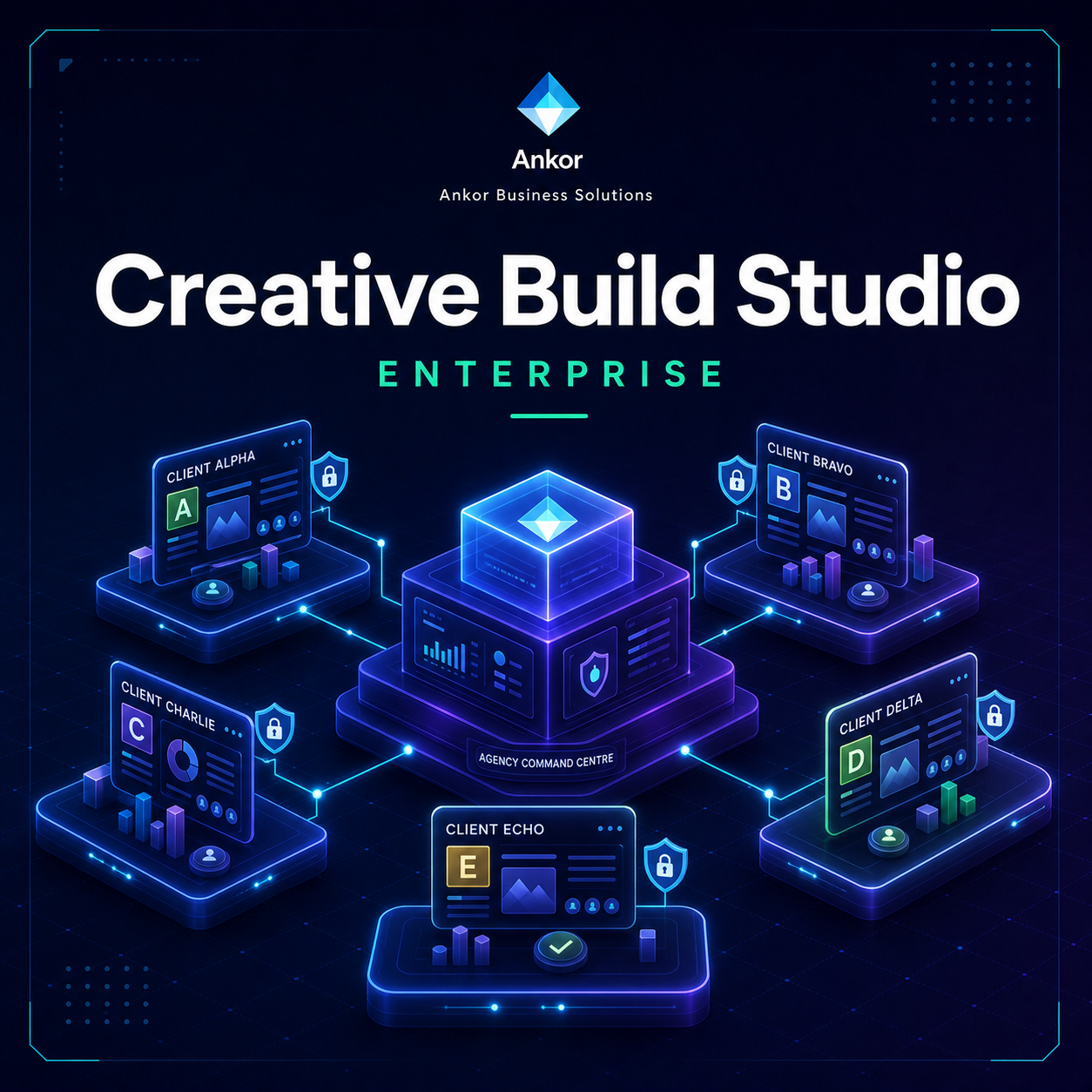
Keep client campaigns apart, and check each one before it goes out.
Agencies rarely run short of ideas. The trouble starts when two clients' campaigns begin to borrow each other's words. Creative Build Studio Enterprise is a set of written instructions you add to the AI assistant you already pay for: Claude, ChatGPT or Gemini. Once it is added, the assistant works on one client at a time, uses only that client's approved material, and marks what still needs a person's yes. It drafts. Your team checks. Your client approves.
- R7 999$599 once-off
- Nothing to download
- Updates included
- Works in Claude, ChatGPT or Gemini
Two launches in the same fortnight. One caption that sounds like the wrong client.
Voices start to blur.
Working on two clients at once, one brand's words end up in the other's caption.
Nobody can see what is approved.
The account lead can't tell which drafts have been signed off and which are still waiting.
Checks happen too late.
Mistakes are found after the client has seen them.
Enterprise keeps each client on their own. By Friday, each client has a draft pack that still sounds like them, and you can see what is not yet approved.
10 skills, 4 workflows and 7 templates.
A skill is a set of step-by-step instructions the assistant follows, so the work comes out the same way every time.
Agency skills
They cover client research, campaign planning, marketing strategy, sales copy, a privacy check, a quality check, approvals, team onboarding and document standards, plus Guided Setup.
Ready workflows
Complete routines from start to finish: a client campaign, a multi-client campaign, turning one piece of content into many, and a proof-and-feedback loop.
Record templates
Including a client account record and a Brand Pack for each client: their audience, voice, words to use and words to avoid.
Client separation built into the routine
The assistant confirms which client it is working on before it reads or drafts anything, and uses only that client's Brand Pack and approved sources. A campaign belongs to one client only.
Team roles written down
A ready reference for who drafts, who reviews, who approves and what a client can see, so the whole team works the same way.
What you can use it for
Enterprise is Creative Build Studio for an agency with several clients and more than one pair of hands. These are the jobs a team hands it.
Keep each client's voice apart
A brand pack and approved sources per client, held separately, so a caption for one client never sounds like another.
Build this client's campaign from their approved source
A campaign plan and drafts for one client at a time: email, social and sales copy that match that client's voice.
Bring a new team member in
Onboarding for staff, contractors and new client accounts, with access and context written down, not passed on by word of mouth.
Plan every client's month
A content calendar per client, so two launches in the same fortnight do not collide.
Show the client what is signed off
A proof and feedback loop that records what the client approved and what changed, before anything is published.
Check it before the client sees it
Quality and privacy checks on every draft, by your team, before it leaves the building.
It drafts. Your team checks. Your client approves.
Hold each client separately
Every client's approved material is kept apart.
Move between clients
Switch between clients without mixing their voices.
Draft for each client
Headlines, captions, emails and page copy for each client.
See what is signed off
The account lead sees what is drafted and what is signed off.
Check before it is shown
A facts, brand, privacy and tone check before anything is shown to a client.
You stay in charge
Nothing is published, sent or scheduled for a client by itself.
Buy once. Connect. Run your first two client briefs.
Creative Build Studio Enterprise works through a connector, so there is nothing to download. Updates are included.
Buy and connect
Pay once at checkout. We email you the steps to connect it straight away.
Follow the guide
After you buy, we email you step-by-step instructions for connecting Enterprise to Claude, ChatGPT or Gemini. No coding.
Answer the setup questions
Guided Setup asks about your agency and your clients. The full setup takes about 25 minutes; a quick setup takes about 5.
Draft two client briefs side by side
Your first result is one client's campaign brief. Over the next five days the assistant offers one short session a day, including a view across all your clients and a session on team roles and approvals.
What people say about Ankor.
“This personalized system has changed my life. I have so much more time to do the things I love because of this incredible product.”Honey KingGoogle review
“Annabel and the team at Ankor are second to none in terms of providing easy to use AI & Automation tools that have created incredible operational efficiencies in my business…”Andrew DouglasGoogle review
“Wonderful service!”Katherine ClarkGoogle review
Enterprise or Creative Build Studio?
| Creative Build Studio Enterprise | Creative Build Studio | |
|---|---|---|
| Best for | Agencies and teams running campaigns for several clients | One business running its own campaigns |
| Clients | Several, each kept separate | One |
| Approval view | See what each client has approved | You approve your own campaign |
| Price | R7 999$599 once-off | R3 497$299 once-off |
| Buy Enterprise → | See Creative Build Studio → |
Enterprise is a great fit if you…
- Run campaigns for more than one client
- Have launches that overlap
- Need to see what each client has approved
- Want a human check before anything goes out
Good to know
- It does not publish for your clients.
- It does not decide a draft is finished. Your team does.
- Each licence is for one person. Team members who use it need their own licence, at half the product price.
- Only one business? Creative Build Studio is the better fit.
Before you start
What do I get when I buy?
A connector for Claude, ChatGPT or Gemini with 10 skills, 4 workflows, 7 templates, step-by-step setup instructions, updates, and email help with setup questions at admin@ankor.co.za.
What do I need?
A Claude, ChatGPT or Gemini account, paid separately to Anthropic, OpenAI or Google, and an internet connection. The setup steps tell you which features you need. No coding, no server.
Can my whole team use one licence?
No. Each licence covers one named person. Team members who use it need their own licence, at half the product price. Email admin@ankor.co.za to arrange extra licences. Setting it up inside a client's own AI account needs a licence for that client.
How is this different from Creative Build Studio?
Creative Build Studio is for one business. Enterprise keeps several clients' material and campaigns apart, and adds team roles and a client account record.
What happens after 12 months?
Your access runs for the term you paid for, with updates included. To keep using it after that, buy another term or switch to month to month.
Your next two launches could each sound like their own client.
Get Creative Build Studio Enterprise for R7 999$599, once-off. Connect it, follow the steps we email you, and draft your first two client briefs.
- Pay once
- You approve everything
- Built in South Africa
once-offBuy now


Reviews
There are no reviews yet.